
From Audit To App: How I Use Claude To Level Up My SEO
SEO Processes
From Audit To App: How I Use Claude To Level Up My SEO

 ChatGPT
 Claude
 Perplexity
 Grok
Grok
 Google AI
 You
You
 WhatsApp
 LinkedIn
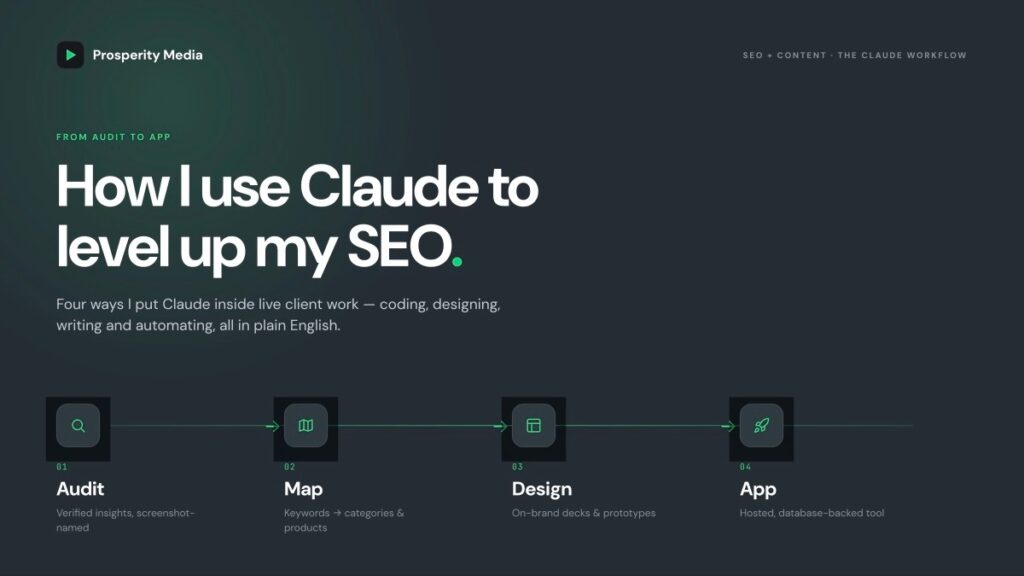
SEO has always been the discipline that borrows. We borrow developer time to ship a fix, designer time to make a deck land, a writer to turn a brief into a page, an analyst to make the numbers mean something. Most of us got passable at all of it, because the alternative was waiting in someone else’s queue.
That habit is exactly why I think SEOs are among the best-placed people in any business to get real value out of AI right now. We were never precious about staying in one lane.
With Claude I can code, design, write and build automation systems, all in plain English, without handing the work off and waiting. None of this replaces a specialist. What it does is collapse the gap between having an idea and seeing it built, and it quietly lifts the quality of the output while it’s at it. Since I started working this way I’ve shipped deliverables I simply couldn’t produce before: design mockups, dynamic menu prototypes, and a coded custom app for a client.
This isn’t a tools roundup. It’s four specific ways I’m using Claude inside live client work right now, and it’s only a fraction of what’s possible. That’s rather the point.
Key Takeaways
- A well set-up Claude Project acts as a “client brain” that holds context across chats and across your team
- Pairing MCPs like Ahrefs and SEOGets with custom skills lets you map categories, subcategories and products to keyword research at a fraction of the manual time
- Claude Design turns a folder of well-named screenshots into a branded, presentation-ready deck
- You can go from a design mockup to a hosted, database-backed app for a client without a developer background
- AI is now good enough that it lifts the quality of my work, not just the speed
- Manual validation never goes away; your judgement and brand knowledge are still what sign off the output
Section One: Setting Up An Effective Claude Project
A Claude Project collects all your related chats into one folder, and lets you feed Claude bespoke instructions and reference files so it understands the client the way you do. I call this the client brain.
The benefit is that picking up where you left off becomes effortless. Instead of sifting back through your chat history to remind Claude (and yourself) what was agreed, the context is already there. That matters even more when you’re sharing a Project with a team, because everyone is working from the same brain rather than their own scattered threads. You can set up a similar structure in Claude Cowork and Claude Code too.
Linking client meeting notes to the knowledge base
Here’s a small moment that sold me on it. I’d completed a list of deliverables for a client and asked Claude to draft a QBR presentation, drawing on the delivered work already in the Project knowledge base. It read the meeting notes, found where we’d agreed the QBR date in an earlier meeting, and corrected the date I’d given it. I was actually preparing a week early. A pleasant surprise, and the kind of thing that only happens when the context is genuinely in the room with you.
Token optimisation tactics
The catch with a context-rich Project is that tokens compound. Claude re-reads the chat history on every message, so a long thread gets more expensive with each turn. A few habits keep this under control:
- Ask Claude to summarise the conversation every ten to twenty messages, then carry the summary forward
- Be careful loading too many files into the knowledge base, Google Drive links especially
- Convert files to .md or .csv where you can, as they use fewer tokens than heavier formats
- Watch for legacy skills and unused MCPs, which quietly bloat your context window
- Audit your connectors and switch off the ones a task doesn’t need
Note: on a shared account, unselecting an MCP disconnects it for everyone, so check before you cull.
Section Two: Mapping Categories, Subcategories And Products To Keyword Research
This is one of my favourite uses. It’s a fast way to plan new categories and subcategories and map them to the right product URLs, all anchored to real keyword data.
Start by getting the product inventory. If your client can’t hand you the full catalogue, you can crawl the site’s product endpoint yourself. On Shopify that’s the /products.json file, which you can pull with a simple bash command from your terminal. If you don’t know how to do this (I didn’t) Claude can walk you through it all. But if you already have the complete inventory, skip this step.
Then layer in the keyword data through MCPs. These are the two I use, though you could do the same with others:
- Ahrefs. If you’ve saved a keyword research skill, you can prompt Claude to discover new keywords for a specific vertical or niche, or feed it pre-existing research. Either way, you’ll want search volume as a directional metric (imprecise, but useful) to gauge whether an opportunity is worth pursuing.
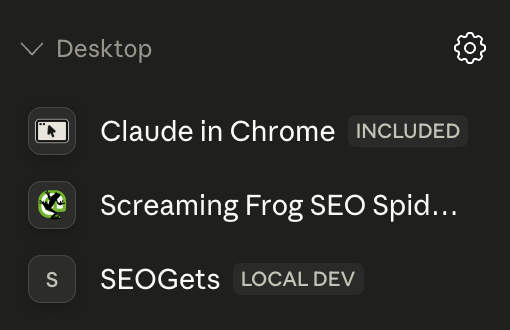
- SEOGets. This one runs through the desktop app, so you’ll connect it locally rather than in the browser. It lets you map your target keywords against existing average position and impression data. Make sure you segment to Australia, or whichever market the client sits in.
Turning the workflow into a skill
Once you’ve run the keyword research process and given Claude detailed feedback on a task, ask it to save the workflow as a skill. The next time, you can trigger it again and Claude runs the same steps without you rebuilding the prompt. Category and subcategory mapping is another job worth turning into a skill if you’ll repeat it for a client.
When the output needs refining, I re-prompt Claude to update the skill, then replicate the task in a fresh chat to check the quality has actually improved. That second step matters. Don’t assume the update worked, verify it.
Visualising the menu
Once your mapping is aligned with keyword research and GSC data, you’ll want to optimise the site’s mega menu so you can internally link to all the new category and subcategory pages. Claude Design is excellent for this. Brief it with examples of how the site looks, or build a quick design system from the client’s branding. You can usually pull enough collateral from publicly available assets on their website and social profiles.
I also hand the client an Excel version so they can adjust the recommendations easily, and I highlight which pages are new, edited or moved.
Always validate
I’ve found the MCP data is largely accurate against manual checks, but some of the decisions Claude makes in its recommendations will absolutely need your expertise and your knowledge of the brand to sign off. On a recent client with a substantial catalogue, this approach surfaced far more category opportunities than I’d have found on my own, and sped up delivery considerably. Most of my time went into manually verifying the product mapping. Done entirely by hand, it would have taken ten times as long.
Section Three: Building Presentation Deliverables In Claude Design
Claude Design is a design platform inside Claude that builds advanced landing pages, websites, app prototypes, wireframes, and custom slide decks and branded proposals. It runs in the browser version of Claude.
Setting up a design system
To get consistent, on-brand output, set up a design system first. For ours, we fed in the Prosperity Media website, our existing slide decks, and the Figma files from our external designer. Once that’s in place, Claude produces decks that look like us, not like a generic template.
My strategy for the best outputs
The input is a manually verified audit. I keep my recommendations and verified insights in an .xlsx document, and I build that out faster in Claude Cowork, which lets me edit files directly on my desktop, save locally, and use a wider range of MCPs like Screaming Frog and SEOGets.
The part that makes the biggest difference is how I name my screenshots. As I work through a site and spot opportunities, risks and issues, I screenshot them into a client folder and name each file with the exact point I want to make. For example:
- “The hub page is missing an h1 tag and all the h2 tags are completely uncontextual to the purpose of the page”
- “5 x server errors, this would heavily impact crawl budget”
Then I prompt Claude to read the context in those file names and build the presentation around them. The filename carries the insight, so Claude knows what each image is for and where it belongs.
From there I edit the slides directly in Claude Design and export to PDF. I’ll often present straight from the HTML version in Claude Design, because it keeps the sleek look. Exporting to Google Slides or .pptx tends to reformat it down to another platform’s limitations.
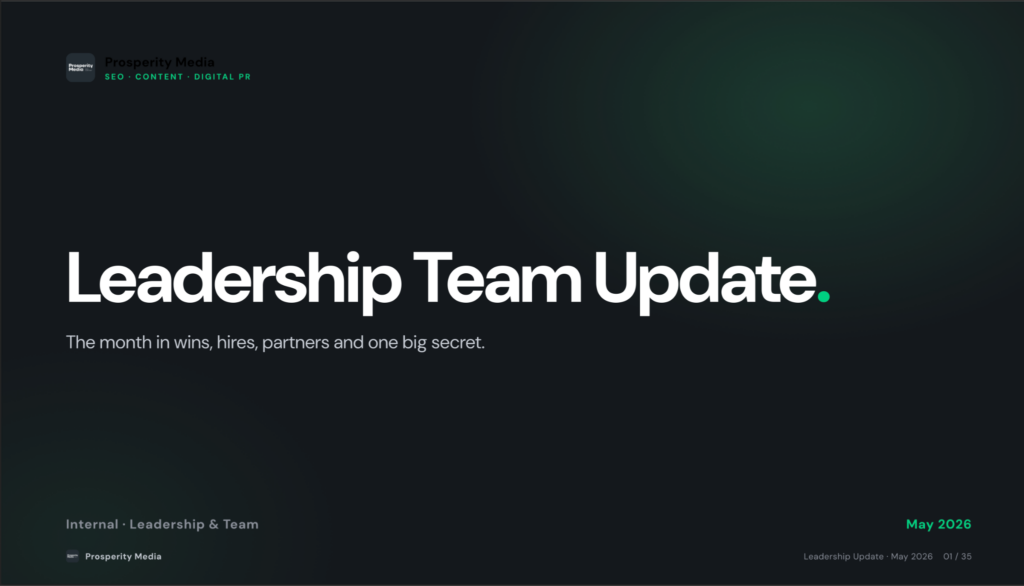
The best part is that while Claude builds the deliverable, I’m freed up to get on with emails, other deliverables, or meetings. This turned what used to be a one to two hour job every month into about thirty minutes, roughly the time it takes to grab the screenshots, name them, and make a coffee while Claude does the rest.
Section Four: Building Custom Apps For Client Projects
This is the one I’m proudest of, because it’s the clearest example of doing work I’d never have touched before.
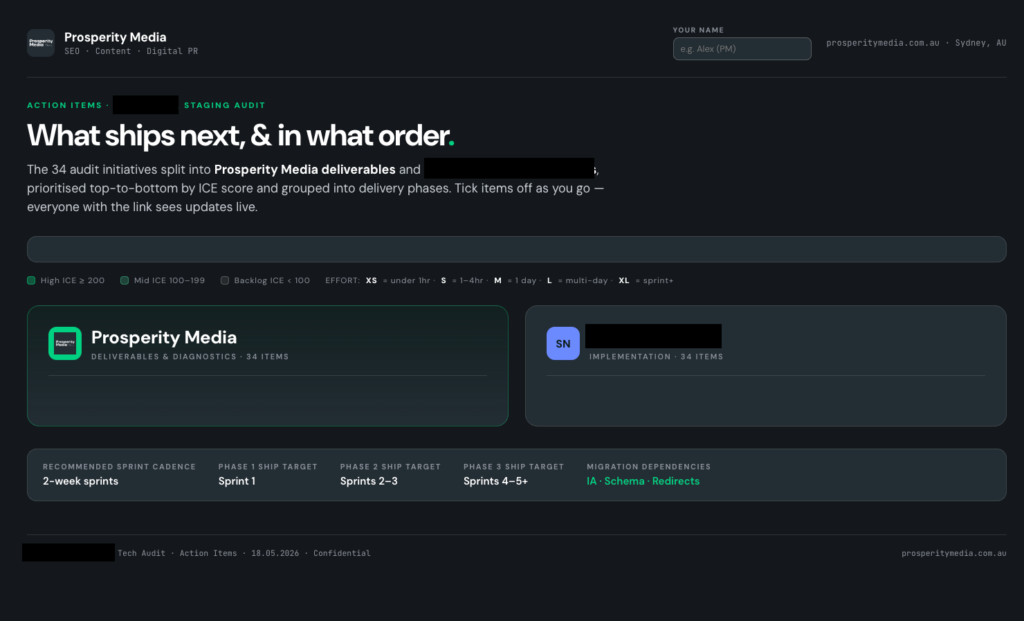
I’d decided implementing SEO tasks should be more fun, and I’d been deep in vibe-coding content on YouTube and wanted to get my hands dirty on a real client deliverable. So I built an implementation app that gamifies getting recommendations across the line.
The core of it is a shared progress bar, one for the client and one for us, so we’re effectively racing each other on speed of implementation. It turns a backlog that usually rots into something with a bit of momentum behind it.
Here’s how it came together:
- Mockup in Claude Design. I fed in my technical audit with all the recommendations and ICE scoring, plus our project management system, which lives in a Google Sheet. Claude built a designed prototype as an HTML file, following our Prosperity Media design system.
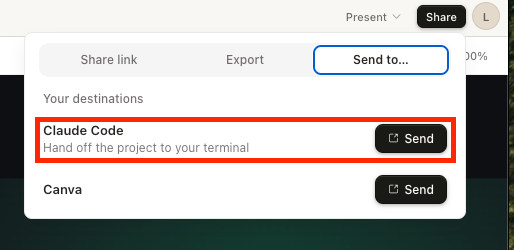
- Build in Claude Code. Once the design was finalised in Claude Design, I handed it off to Claude Code to turn into a working app. Use planning mode here so it stays on brief and clarifies direction before it starts building.
- Host on Netlify. Hosting is free to get started. For $20 USD a month you get unlimited sites with password protection, which is worth it for client work.
- Database in Supabase. Supabase is free, and Claude Code walks you through the setup inside its platform. You can wire up filters like team member, or any other view you want to pull from the database.
Note: Supabase will pause a free database if it sits idle for too long, so keep that in mind for low-traffic client tools.
Did it work? The client’s developer told me this is now their preferred way to log implementation status, and they’ve already ticked off several of the audit’s key initiatives. Anecdotally, that’s a lot faster than the average client moves. An SEO with no developer background shipped a working tool that a client’s dev team actually wanted to use. That’s the whole argument of this article in one example.
Summary
A few other areas worth your time. Most of my work now happens in Claude Cowork rather than the browser, and it’s where the file editing, local MCPs and automation really come together. I learnt about Cowork and a lot of other AI platforms from this YouTube creator. Automating routine tasks is a whole other specialisation in its own right, and one I’d encourage you to explore.
The honest takeaway is that AI is now at the level where using Claude doesn’t just make my work faster, it makes it better. And it’s only getting started. We’re approaching four years since GPT-3.5 first landed. It’s worth sitting with where this might be four years from now, by 2030, and what that means for the gap between a specialist and the tools they use.
Claude is not a replacement for my SEO skills. It’s an enhancer of them. It lets me go above and beyond for clients and reach into skillsets like design and coding that I previously had no domain knowledge in at all.
If any of this resonates, or you want help getting your own AI workflows off the ground, get in touch. And happy building.
